
When it comes to embroidery, the quality of your artwork is crucial in determining how well the final product will look. One common debate in the embroidery industry is whether vector or raster files are the better choice for digitizing designs. Both file types have their own advantages and drawbacks, but understanding how they work and which one is best suited for embroidery can help you make the right decision for your next project. In this article, we will explore the differences between vector and raster images and provide some insights into which one works best for embroidery in the USA.
What Are Vector and Raster Files?
Before diving into the embroidery world, it's important to understand what vector and raster files are.
A vector file is made up of paths, defined by mathematical equations, which allow the image to be scaled infinitely without losing any quality. These files are typically smaller in size and maintain sharpness at any resolution. Common formats for vector images include AI (Adobe Illustrator), EPS, and SVG.
A raster file, on the other hand, consists of a grid of pixels, each having a specific color and location. The image quality of raster files is determined by the resolution, with JPG, PNG, and TIFF being some of the most common formats. As you zoom in or enlarge a raster image, the pixels become more visible, leading to a loss of sharpness and quality.
Vector vs Raster for Embroidery: The Key Differences
When choosing the right file format for embroidery, the differences between vector and raster files become more evident. Vector files are often the preferred choice because of their scalability and precision. In contrast, raster images can be more challenging to work with, especially when they lack high resolution.
Vector Files: The Best Choice for Embroidery
One of the primary benefits of using vector files for embroidery is their ability to retain sharpness and clarity, no matter how large or small the design is. When you create a vector file for digitizing, it allows your design to be resized without compromising on quality, which is essential for embroidery.
Additionally, vector files provide the precision needed for fine line digitizing. For example, logos that involve intricate details or text need to be crisp and clear. With vector files, you can ensure that these details are preserved even when the design is enlarged or reduced.
Moreover, vector file benefits for embroidery are vast. They ensure that the colors and shapes are precisely matched, allowing for better control over the embroidery machine. This leads to more consistent and high-quality results in embroidery.
Raster Images: Common Problems in Embroidery
While raster image quality can be decent for many applications, they pose significant challenges in the embroidery process. One major issue is the resolution. When a raster image is not at a high resolution, the embroidery machine may struggle to replicate the image accurately. This can result in blurry or jagged lines in the final product.
Furthermore, raster image problems in digitizing often arise because the embroidery software has to interpret the pixelated image into stitch patterns. Since raster images do not have the same scalability as vector images, this can lead to loss of detail or poor stitch accuracy.
If you are working with a raster image, it’s crucial to make sure it has a high resolution—ideally, 300 DPI or more—before you attempt to convert it to a format suitable for embroidery. However, even with high-resolution images, the final result may not be as sharp and precise as with vector files.
Converting Raster to Vector for Embroidery
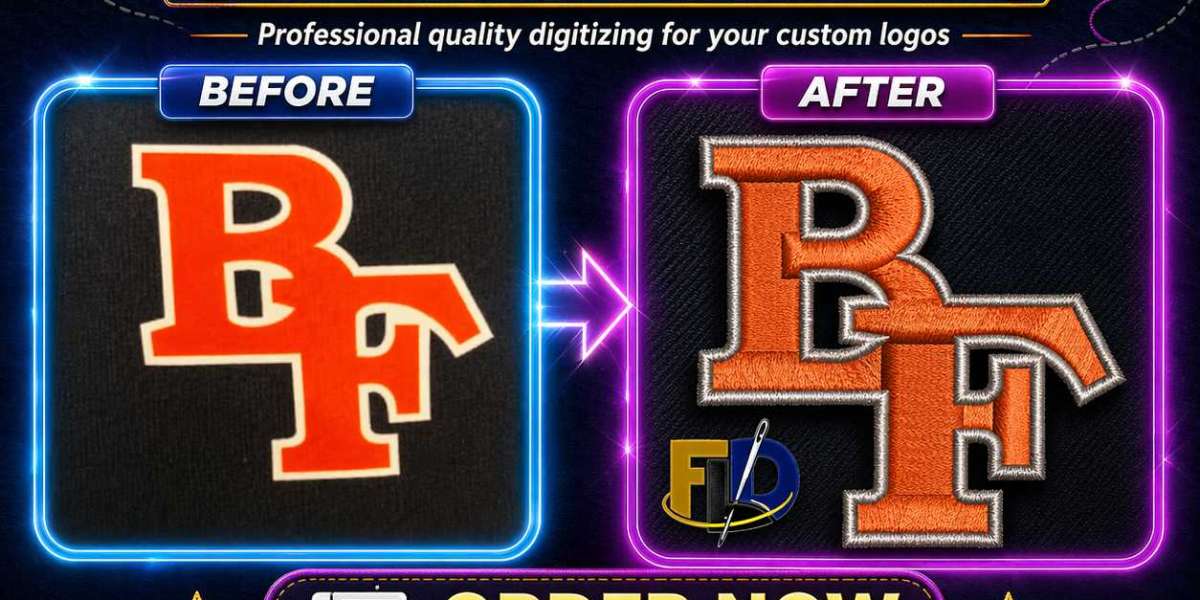
In some cases, designers may need to convert raster to vector for embroidery in order to take advantage of the benefits that vector files offer. This process involves tracing the raster image and recreating it as a vector file, ensuring that the final design is clean and scalable.
There are several tools available that can help with this conversion, including software like Adobe Illustrator and CorelDRAW. However, the conversion process may require some skill and time, especially for complex designs. A poorly executed conversion can still result in a subpar embroidery outcome.
Which File Format Is Best for Logo Digitizing?
When it comes to logo digitizing, vector files are typically the best option. Logos often need to be resized for various applications, from business cards to large banners. Since vector files can be scaled without losing quality, they are perfect for logos that require versatility.
Additionally, logos often include sharp lines and text that need to be accurately replicated in embroidery. The precision of vector files ensures that these elements are reproduced exactly as intended. Therefore, when considering which file is best for logo digitizing, vector formats like AI or EPS should be your go-to choice.
AI EPS vs JPG for Embroidery: Which One to Choose?
When choosing between AI EPS vs JPG for embroidery, there is no comparison in terms of quality. AI and EPS files are both vector-based formats, which means they offer the flexibility, precision, and scalability required for high-quality embroidery designs.
In contrast, JPG files are raster-based and can present significant challenges when used for embroidery. The lower the resolution of a JPG, the more likely you are to encounter issues such as pixelation and poor stitch accuracy. Therefore, if you want the best results, opt for AI EPS or another vector format.
Final Thoughts: Choosing the Best Artwork Format for Embroidery
The choice between vector vs raster for embroidery ultimately depends on the complexity and requirements of your design. If you want a sharp, precise, and scalable design that will look great at any size, vector files are the best option. On the other hand, raster images may be suitable for simpler designs, but you should ensure they are high resolution to avoid issues during digitizing.
When it comes to best artwork format for embroidery, vector files like AI, EPS, and SVG are the preferred choices. These formats provide the precision, flexibility, and quality needed for a successful embroidery project. By understanding the strengths and weaknesses of each file type, you can ensure that your embroidery designs turn out looking their best.