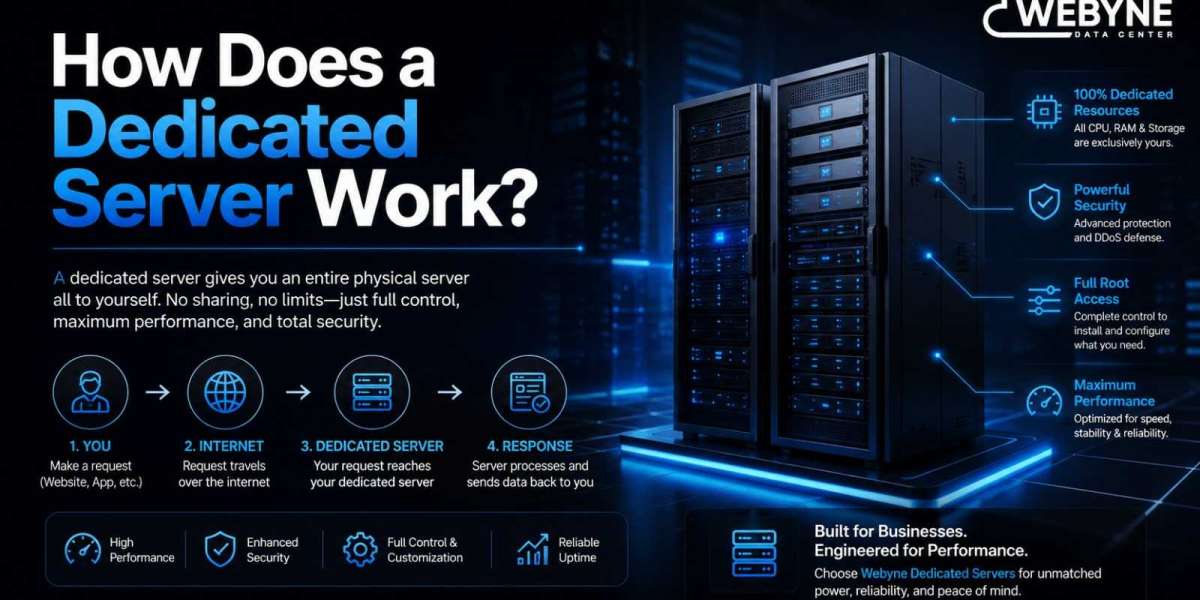

Understanding how a dedicated server works helps you make better decisions about configuration, security, and whether it’s the right fit for your project. Here’s a straightforward look at what actually happens behind the scenes.
The Physical Hardware
A dedicated server is a real, physical computer housed in a data center — not a virtual slice of a larger machine. It has its own processor (CPU), memory (RAM), storage drives (SSD or NVMe), and network interface. When you rent a dedicated server, you’re renting exclusive use of this specific machine.
How You Connect to It
Since the server lives in a data center, not your office, you connect to it remotely:
- Linux servers are typically managed via SSH (Secure Shell), a command-line connection protocol
- Windows servers are typically managed via RDP (Remote Desktop Protocol), giving you a familiar graphical interface
Once connected, you interact with the server exactly as if you were sitting in front of it — installing software, configuring settings, and managing files.
How Resources Are Allocated
Unlike shared or virtual hosting, there’s no allocation logic to worry about — the entire CPU, all the RAM, and all the storage on the machine belong to you. There’s no hypervisor dividing resources between tenants, which is why performance is so consistent.
Network and Bandwidth
Your dedicated server connects to the internet through the data center’s network infrastructure, typically with a dedicated IP address (or a block of IPs) assigned specifically to your server. Bandwidth allocations vary by plan, but the network port itself isn’t shared in the same contested way shared hosting bandwidth can be.
Operating System and Software Layer
You choose the operating system — commonly Linux distributions like Ubuntu, CentOS, or AlmaLinux, or Windows Server — and install whatever software stack your project requires: web servers (Apache, Nginx), databases (MySQL, PostgreSQL), control panels (cPanel, Plesk), or custom applications.
Managed vs Unmanaged: Who Handles What
Unmanaged dedicated server: You’re responsible for OS installation, security patching, software configuration, and ongoing maintenance. This suits businesses with in-house technical expertise.
Managed dedicated server: The hosting provider handles setup, security updates, monitoring, and troubleshooting, letting you focus on your application rather than server administration.
Security and Monitoring
A well-run dedicated server typically includes firewall configuration, DDoS protection, and regular security patching — either handled by you (unmanaged) or the provider (managed). Most reputable providers also monitor server health and uptime continuously, alerting you or resolving issues before they cause downtime.
Backups and Redundancy
Dedicated servers commonly include scheduled backups, either automated by the provider or configured manually, protecting your data against hardware failure or accidental deletion. Understanding your provider’s backup frequency and retention policy is an important part of how a dedicated server setup actually protects your business.
Scaling a Dedicated Server
Since resources are tied to physical hardware, scaling a dedicated server usually means upgrading to a plan with more CPU cores, RAM, or storage — sometimes requiring a hardware swap by the provider, though many modern providers handle this with minimal downtime.
Final Thoughts
A dedicated server works by giving you exclusive, direct access to a physical machine’s full resources — CPU, RAM, storage, and network — connected remotely via SSH or RDP, with the flexibility to configure it exactly as your project requires. Whether managed or unmanaged, understanding this underlying structure helps you choose the right plan and support level for your needs.
Want to see it in action? Explore Webyne’s dedicated server plans and get expert guidance on choosing the right configuration for your project.